Head Scanner USB
Overview
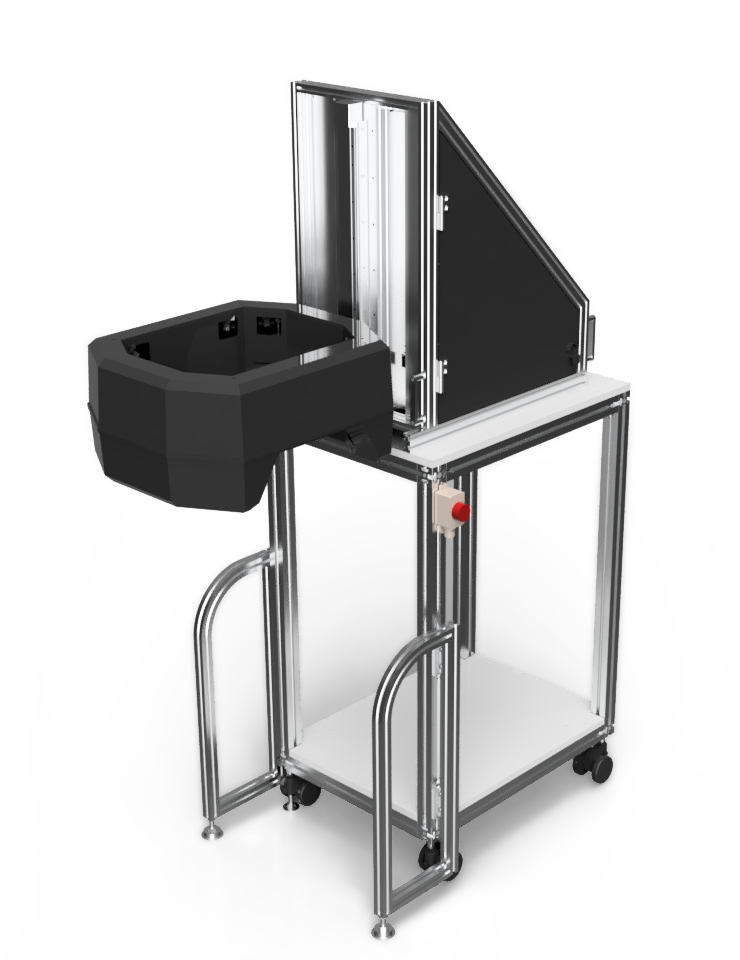
What is Head Scanner?
Head Scanner USB is Three Dimensional Face and Head scanning system which is Optical Laser scanning system.
Hair can not be captured, so that Head Cap is needed to be worn.
To run Head Scanning system, Microsoft Windows PC is required, and the connection between Head Scanning system
and PC is only USB 2.0 cable.
Scan time is more or less 10 sec/head.
What kind of data do I obtain?
Head scanner captures with 6 Lasers and 12 cameras.
Most of whole Head and Face can be captured.
Raw scanned data is point clouds and is saved as binary data, HBD file format.
Binary data can be exported by File converter (optional software) to CSV, DXF, VRML and STL.
Function
- Acculate, Speedy and Stabe like INFOOT
- Eyes Wide Open
- Anatomical Landmarks and Dimensions
Head Scanner USB scans a head with the same scannning methodology as INFOOT,
so it scans accurately, speedy and stably as INFOOT scans a foot.
It gains trust in the fields of R&D and order-made production of helmets and eye-grasses.
It gains trust in the fields of R&D and order-made production of helmets and eye-grasses.
You can open your eyes while scanning, because its Lasers are Class1.
Therefore it can scan the pupil of the eyes.
Therefore it can scan the pupil of the eyes.
With using landmark markers,
you can get up to a maximum of 103 anatomical landmark points and 26 dimensions.
Data Sample
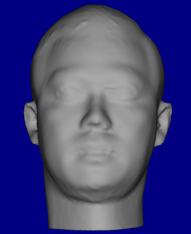
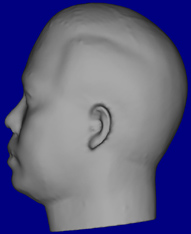
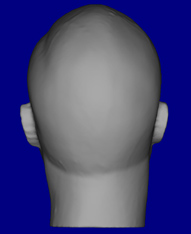

Specification
Scanner
Type of Product
3D Head Scanning System
Product Name
Head Scanner USB
Product Model
HSU-06
Dimensions
645(W) × 1306(D) × 1838(H) mm
Scanner Head
490(W) × 580(D) × 265(H) mm
Power Supply
100-240V∼ ±10% 50/60Hz (AC adapter included)
Power Consumption
DC24V 5A (120W max.)
Weight
75kg
Safety Agency Approivals
CE, IEC 60825-1
Environment
Temperature
15-40°C
Humidity
35-60%
Installation Location
Indoor use only
Scanning
Scan Speed
30mm/sec
Error Allowance
1.0mm step : Y(W)-Z(D)=1mm, X(H)=1mm
0.5mm step : Y(W)-Z(D)=1mm, X(H)=0.5mm
Data Format
HBD (proprietary binary data format)
Scan Area
320(W) × 320(D) × 400(H) mm
Conditions
Scanning Target
Human Head and Face, Land Marker
Max Object Size
Less than W=280mm, D=280mm
Prohibition
Absorption and Reflection of laser and brightness
PC Requirement
OS
Microsoft Windows 10 (64 bit)
CPU
x86 compatible 2.0GHz or more
(Multi-core CPU recommended)
Memory
2GB or more
Interface
More than 2 ports of USB2.0 (USB Hub possible: INFOOT USB and Licence Key)
Screen Resolution
1024x×768 pixels or more
(1280×800 pixels or more recommended)
Storage
20MB free space is needed for Head Scanner system installation.
Approcimately 1MB per scan is also required.
Dimensions (unit:mm)
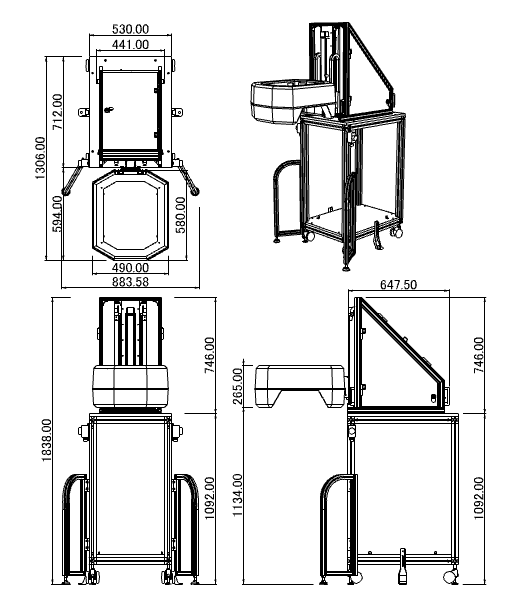
Download
| Type of Product | 3D Head Scanning System |
|---|---|
| Product Name | Head Scanner USB |
| Product Model | HSU-06 |
| Dimensions | 645(W) × 1306(D) × 1838(H) mm |
| Scanner Head | 490(W) × 580(D) × 265(H) mm |
| Power Supply | 100-240V∼ ±10% 50/60Hz (AC adapter included) |
| Power Consumption | DC24V 5A (120W max.) |
| Weight | 75kg |
| Safety Agency Approivals | CE, IEC 60825-1 |
| Temperature | 15-40°C |
|---|---|
| Humidity | 35-60% |
| Installation Location | Indoor use only |
| Scan Speed | 30mm/sec |
|---|---|
| Error Allowance |
1.0mm step : Y(W)-Z(D)=1mm, X(H)=1mm 0.5mm step : Y(W)-Z(D)=1mm, X(H)=0.5mm |
| Data Format | HBD (proprietary binary data format) |
| Scan Area | 320(W) × 320(D) × 400(H) mm |
| Scanning Target | Human Head and Face, Land Marker |
|---|---|
| Max Object Size | Less than W=280mm, D=280mm |
| Prohibition | Absorption and Reflection of laser and brightness |
| OS | Microsoft Windows 10 (64 bit) |
|---|---|
| CPU | x86 compatible 2.0GHz or more (Multi-core CPU recommended) |
| Memory | 2GB or more |
| Interface | More than 2 ports of USB2.0 (USB Hub possible: INFOOT USB and Licence Key) |
| Screen Resolution | 1024x×768 pixels or more (1280×800 pixels or more recommended) |
| Storage |
20MB free space is needed for Head Scanner system installation. Approcimately 1MB per scan is also required. |